New Features on Detailed Image
Read the following document to get the most out of your visit to DetailedImage.com
This page is designed to outline some of the new features of DetailedImage.com. One of the first things you'll notice is a new look and layout.

The top navigation is labeled number one. This is where you'll find your account settings, view your cart, as well as how to checkout and complete a purchase. If you were a previous Detailed Image customer, you will have to re-register on the new website. We are including an instant $5 credit to your account, as a thank you to previous customers. If you were a previous customer and wish to obtain your $5 credit, please click this link to register.
The second circled area is the left navigation bar. This hasn't changed much, however we condensed the categories and made finding your ideal products significantly easier. The search field on top searches titles of products, manufactures as well as categories to get the most accurate results. Just type in your search and click the green "go" button. You can also search by manufacturer to see all of the products from a specific brand.
The third circle highlights a great new feature we call the navigation screen. This screen will show you images that relate to the page you are on. For product images you can click on the navigation screen for an enlarged version of the picture. Certain pages will scroll through current site specials, new products and other detailing related information.
Lets take a look at what a new product page looks like.

Take a look at the first circle on the left, this is where the primary information for the item is displayed including: product title, manufacturer, the size you have selected via a drop down menu. On the right, side it displays the price and the button to add to cart. You'll notice when you select a new size it reflects the new price instantly. To the right of the price you'll see the product image displayed in the navigation screen, which again, you can click to enlarge.
The second circle will automatically pull the proper how-to guide, article, or any other further reading related to the product. This will help you get the most out of the product you are looking at and take your detail to the next level. This is something we plan on adding to continuously as time goes on.
The third circle is highlighting two great new features we implemented which can help you save money while getting the most out of your products. Below is an expanded version of what you'd see when you scroll down.
We seperated this section into two categories: Complementary Items and Works Best With Items.
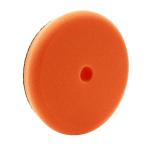
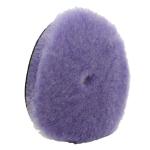
Complementary Items are products that work well with the product above. In the given example of Menzerna Final Polish II we recommended a product removal towel, foam buffing pads (two different textured pads to customize your level of aggressiveness), a dispenser bottle to monitor your product usage, and two potential hand applicator pads for those areas that cannot be buffed with the buffer.
Works Best With Items are products that are typically used together during the detailing process to maximize your results. Typically we list out products that help in the preparation of using this product and potential products to follow up with. For the FPII we recommended a more aggressive polish, Menzerna Intensive Polish, Menzerna Finishing Touch Glaze to fill in imperfections after the polish. To prep the surface prior to polishing we recommended a clay bar with a clay lube.
Here is the best part. On the bottom you'll notice that any item that we recommend and you select to add to the item you are currently viewing, you recieve 5% off those additional items. Essentially you are creating your own bundle deals and savings based on your needs and detailing objectives. Another point worth mentioning, if you select the larger size item above, it will recommend a larger sized product below. Meaning if you select the 32oz size product, it will show 32oz size products below, or default to the smallest size if there is no equal size. Choose the Add to Cart button on the bottom to select the main product and any selected additional products and instantly save 5% on those additional products.
Once you have added the products you want to your cart, it takes you to view your cart.
In our Final Polish II example, I selected the recommended Works Best With products and some of the Complementary items, which you can see that the 5% off was instantly applied to those items. From here you can change the quantity of your items by entering the proper number and clicking the update button. You can continue shopping, remove an item or proceed to checkout.
When your cart is finalized and you click the checkout button, it will bring you to a screen to log in or to register for a new account.
If this is your first time visiting the new Detailed Image, you will have to create a new account. Again, if you are previous customer, remember to register here, to instantly get $5 credited to your account. Once you have successfully registered on the site, log in with your new account and click checkout to proceed to completing a purchase. Follow the rest of the steps and enter your billing information.
In the coming months you will see a lot of advancements on the website. If you have any questions, have any troubles, suggestions or feedback for the new website, please contact george@detailedimage.com .
We greatly appreciate your support and look forward to continually raising the standards of automotive detailing.
George & Greg
Detailed Image Owners